Publish to the blog
What you’ll do: Turn Sunday’s sermon into a written article and put it on your church website, so people who missed the service can still read it — and so it can be found in search.
About 10 minutes
This is the piece of content that keeps working long after the week is over. Clips and texts have a short life. An article sits on your website and can be found by someone searching months later.
Generate and read it
- From the home screen, press View Details on your sermon, then open the BLOG tab.
- If it says No Blog Post Yet, press Generate Blog Post. Writing a full article takes thirty seconds to a minute — stay on the page while it works.
- Read the article in the preview area. It’s a proper long-form piece built from your sermon, including the passages you preached. Above it you’ll see the word count, how many scripture references it used, and the key themes it picked out.
- Press View Full Post to read it the way a visitor to your website would, laid out properly in a new tab.
- If it misses the heart of what you preached, press Regenerate to have EBENEZER write a fresh version. It asks first, because this replaces what’s there.
- When you’re happy with it, press Publish Blog.
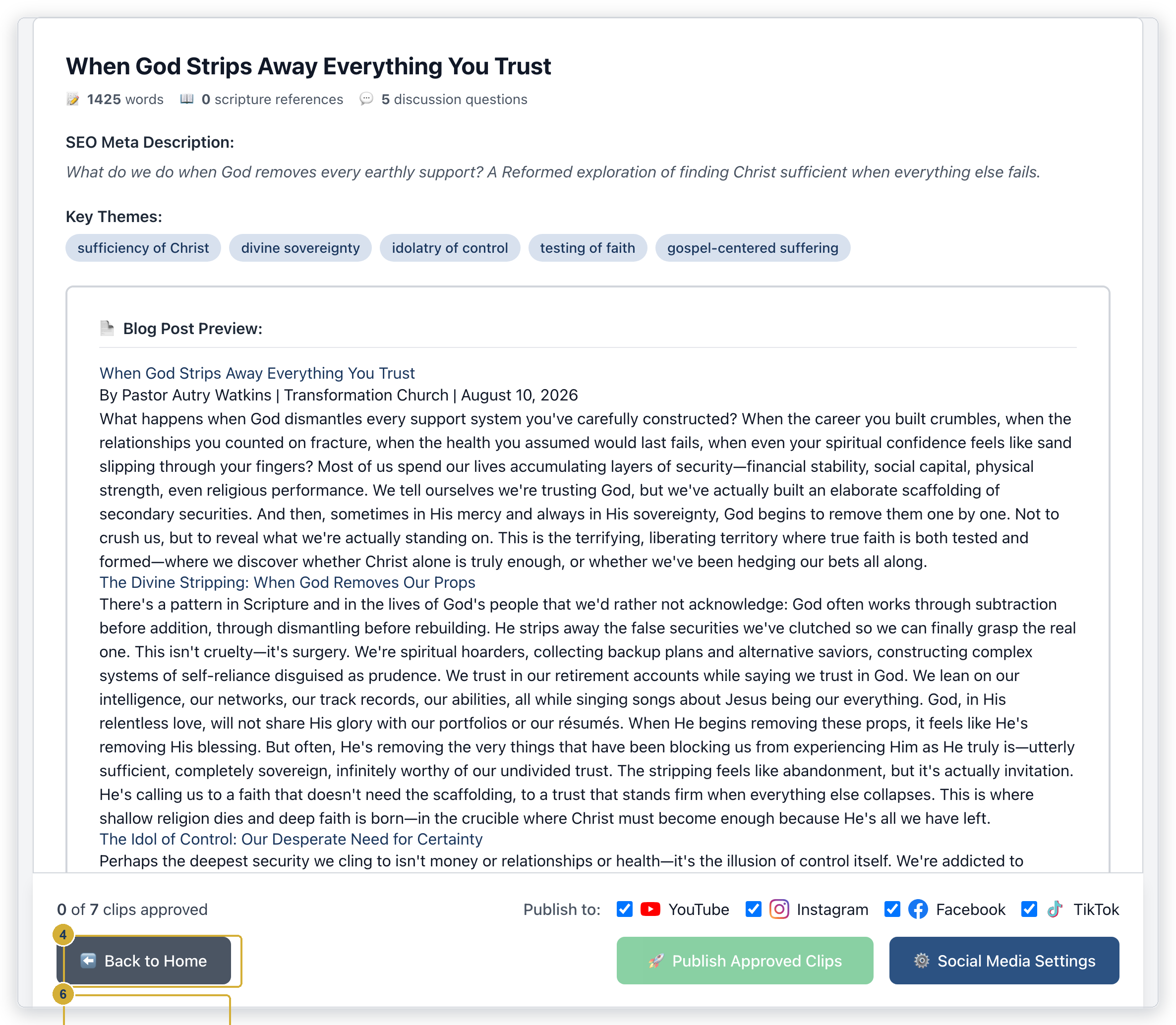
Publish Blog posts the article to your public website immediately — there’s no draft stage. Read the whole thing first, and pay particular attention to names, quotations and scripture references before you press it.
After it publishes you’ll see a confirmation with a View Post link so you can check how it looks on your own site.
You need a website connected first
EBENEZER can publish directly to Wix and WordPress. If Publish Blog gives you an error about no platform being configured, that connection hasn’t been set up yet — see setting up your blog platform, or email support@ebenezer.rest.
Publishing to Subsplash is no longer supported. If your settings still say Subsplash you’ll get an error asking you to pick a supported platform. Switch to Wix or WordPress, or use the copy-and-paste method below.
Publishing it yourself instead
You don’t need EBENEZER connected to your website at all. If your site runs on something else, or someone else manages it, you can hand the article over:
- Press Copy HTML to put the whole formatted article on your clipboard, then paste it into your website editor.
- Or press Download HTML for a file you can hand to whoever updates the site. Download TXT gives you the plain words with no formatting, which is handy for a bulletin or an order of service.
Things worth knowing
Very long articles get shortened on Wix
If your site is on Wix, unusually long articles can arrive with the ending missing, because Wix limits how much structured content it accepts in one post. Always open View Post after publishing and scroll to the bottom to check the article finished. If it didn’t, paste the remainder in through your Wix editor.
The writing follows your church’s tradition
The vocabulary and framing come from the theological tradition and Bible version you set in your church profile. If the article doesn’t sound like your church, that’s the first place to look.
Scripture references are checked
EBENEZER only cites passages that actually appear in your sermon. References it can’t match against what you preached are removed rather than guessed at, so you shouldn’t find invented citations. It’s still worth a glance before publishing.
Article won’t generate, or publishing fails? See the troubleshooting guide.